
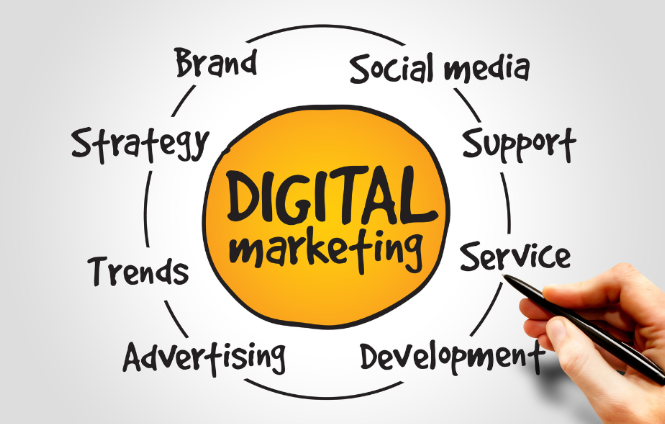
What Skills Are Needed for Digital Marketing?

What Skills Are Needed for Digital Marketing?

The digital marketing landscape is constantly evolving, so it’s important for digital marketers to have a wide range of skills. Some of the most essential skills for digital marketers include:

  • Data analysis: Digital marketers need to be able to collect and analyze data to track the performance of their campaigns and make informed decisions about how to improve them.
  • Content creation: Digital marketers need to be able to create engaging content that will attract and retain customers. This content can take many forms, including blog posts, articles, social media posts, videos, and infographics.
  • Search engine optimization (SEO): SEO is the process of improving the visibility of a website or web page in search engine results pages (SERPs). Digital marketers need to understand the basics of SEO and how to implement SEO best practices.
  • Pay-per-click (PPC) advertising: PPC advertising is a form of online advertising where businesses pay each time someone clicks on their ad. Digital marketers need to understand how to create effective PPC campaigns that will generate leads and sales.
  • Social media marketing: Social media marketing is the use of social media platforms to connect with customers and promote products or services. Digital marketers need to be familiar with the different social media platforms and how to use them effectively.
  • Email marketing: Email marketing is a form of direct marketing that involves sending emails to a list of subscribers. Digital marketers need to know how to create effective email campaigns that will generate opens, clicks, and conversions.
  • Web analytics: Web analytics is the process of collecting and analyzing data about website visitors. Digital marketers use web analytics data to track the performance of their website and make improvements to increase traffic and conversions.
  • Creativity: Digital marketers need to be creative in order to come up with new and innovative ways to reach their target audience.
  • Problem-solving: Digital marketers need to be able to identify and solve problems quickly and effectively.
  • Communication: Digital marketers need to be able to communicate effectively with a variety of stakeholders, including clients, colleagues, and customers.

In addition to these essential skills, digital marketers may also need to have specific skills in areas such as graphic design, video editing, or web development. The specific skills required for a digital marketing role will vary depending on the size and industry of the company, as well as the specific responsibilities of the role.

If you’re interested in a career in digital marketing, it’s important to develop the skills and knowledge that employers are looking for. There are a number of ways to do this, including taking online courses, attending workshops, and reading industry publications. You can also gain experience by working on personal projects or volunteering for a nonprofit organization.

With the right skills and experience, you can build a successful career in digital marketing.

Image: Canva Pro

Social Media Marketing with Stories

Social Media Marketing with Stories

Social media stories are a great way to engage with your audience and share your brand’s story. They’re a quick and easy way to share content, and they’re often more visually appealing than traditional posts.

Here are some tips for using social media stories for marketing:

  • Be consistent. Post stories on a regular basis to keep your audience engaged.
  • Use visuals. People are more likely to engage with stories that are visually appealing. Use photos, videos, and GIFs to tell your story.
  • Be creative. Get creative with your stories and experiment with different formats. This will help you stand out from the crowd.
  • Ask questions. Ask your audience questions to get them involved in the conversation. This is a great way to generate engagement and feedback.
  • Run contests and giveaways. Contests and giveaways are a great way to generate excitement and attract new followers.
  • Use analytics. Most social media platforms offer analytics tools that can help you track the performance of your stories. Use this data to optimize your efforts and get the most out of your stories.

Social media stories are a powerful tool that can help you connect with your audience and grow your business. By following these tips, you can use stories to tell your brand’s story and reach a wider audience.

Here are some examples of how businesses are using social media stories for marketing:

  • Nike uses stories to share behind-the-scenes content of its athletes and products. This helps Nike to connect with its audience on a personal level and build brand loyalty.
  • Starbucks uses stories to share seasonal promotions and new menu items. This helps Starbucks to stay top-of-mind with its customers and drive sales.
  • Taco Bell uses stories to share funny and engaging content that its audience can relate to. This helps Taco Bell to build a positive brand image and connect with its audience on a deeper level.

These are just a few examples of how businesses are using social media stories for marketing. If you’re looking for a way to connect with your audience and grow your business, social media stories are a powerful tool that you should consider using.

Image: Canva Pro

How to Add a WordPress Page

How to Add a WordPress Page

Adding a page in WordPress is a straightforward process. Here’s a breakdown of the steps:

1. Log in to Your WordPress Dashboard:

  • Access your WordPress site’s admin area by adding “/wp-admin” to your website’s URL (e.g., yourwebsite.com/wp-admin).
  • Enter your username and password.

2. Navigate to Pages:

  • In the left-hand menu of your WordPress dashboard, find “Pages.”
  • Click on “Add New.”

3. Add a Title and Content:

  • You’ll see a title field at the top of the page editor. Enter the title of your new page.
  • Below the title field, you’ll find the content editor (Gutenberg block editor). This is where you’ll add the content of your page.
  • Use the block editor to add text, images, videos, and other media.

4. Customize Your Page (Optional):

  • Page Attributes: On the right-hand side of the editor, you can find options to set a parent page, choose a template, and adjust the order of your pages.
  • Featured Image: You can also add a featured image to your page.
  • Discussion: You can choose to allow or disallow comments on your page.

5. Preview and Publish:

  • Before publishing, click the “Preview” button to see how your page will look.
  • If you’re satisfied with the preview, click the “Publish” button to make your page live.

Key Considerations:

  • Gutenberg Block Editor: WordPress uses the Gutenberg block editor, which allows you to add various content elements as “blocks.”
  • Page Templates: Some WordPress themes offer custom page templates, which provide different layouts and designs.
  • Navigation Menus: After publishing your page, you may need to add it to your website’s navigation menu so visitors can easily find it. You can do this by going to “Appearance” > “Menus” in your WordPress dashboard.

I hope this helps!

How to Get Business Reviews

Internet Marketing Tip; How to Get Business Reviews

Obtaining business reviews is crucial for building trust, attracting new customers, and improving your online reputation. Here’s a comprehensive guide on how to effectively get more reviews for your business:

I. Proactive Strategies:

  • Simply Ask: The majority of customers are willing to leave a review if asked. Don’t assume they will do it automatically.
  • Ask at the Right Time:
    • Promptly: Request reviews shortly after a sale or service delivery when the experience is still fresh in the customer’s mind (ideally within an hour to a day).
    • Optimal Timing: Studies suggest that response rates might be higher between 1-3 PM and on Mondays.
    • After Positive Interactions: If a customer expresses satisfaction verbally, seize the opportunity to ask them to leave an online review.
  • Make it Easy: Provide clear and direct instructions on how and where to leave a review.
    • Direct Links: Share direct links to your review profiles on platforms like Google Business Profile, Yelp, Facebook, or industry-specific sites.
    • QR Codes: Generate QR codes that customers can easily scan with their smartphones to access your review page.
  • Multiple Channels: Ask for reviews through various touchpoints:
    • Email: Include a review request link in thank-you emails, follow-up emails, and email signatures.
    • SMS/Text Messages: Text messages have high open rates and can be an effective way to request reviews post-purchase.
    • In-Person: Ask at the point of sale or checkout. You can also include review requests on receipts or invoices.
    • Website: Add a prominent “Leave a Review” button or a dedicated testimonials page on your website.
    • Social Media: Share links to your review platforms on your social media profiles and occasionally ask for feedback.
  • Personalize the Request: Address customers by name and reference the specific product or service they received to make the request feel more personal.
  • Explain Why Reviews Matter: Briefly explain to customers how their feedback helps your business and other potential customers.
  • Train Your Team: Ensure your employees understand the importance of reviews and how to politely ask customers for them. Consider incentivizing employees for receiving positive feedback (not directly incentivizing customers to leave reviews, which is against most platforms’ guidelines).

II. Building Your Presence on Review Platforms:

  • Claim and Optimize Your Profiles: Ensure you have claimed and fully optimized your business profiles on major review sites relevant to your industry (e.g., Google Business Profile, Yelp, Facebook, TripAdvisor, industry-specific directories).
  • Make Your Profiles Visible: Display badges or links to your review profiles on your website to remind past customers and make it easy for them to find your pages.

III. Post-Review Engagement:

  • Thank Customers: For positive reviews, express your gratitude and encourage repeat business.
    • Address Concerns Professionally: For negative reviews, acknowledge the feedback, apologize where necessary, and offer to resolve the issue offline. A thoughtful response can turn a negative experience into a demonstration of your commitment to customer satisfaction.
    • Respond to All Reviews: Whether positive or negative, responding to reviews shows that you value customer feedback and are engaged with your audience.

IV. Things to Avoid:

  • Incentivizing Reviews: Offering discounts, free products, or other rewards in exchange for reviews is against the guidelines of most review platforms and can lead to penalties, including the removal of reviews.
  • Asking Only Happy Customers: It’s against platform policies to selectively solicit reviews from only satisfied customers. You should ask all customers for feedback to maintain authenticity.
  • Fake Reviews: Never create or solicit fake reviews. This is unethical and can severely damage your reputation and legal standing.

V. Utilizing Review Management Tools:

Consider using review management software to streamline the process of requesting, monitoring, and responding to reviews across multiple platforms. Some popular tools include:   

  • Podium
  • Birdeye
  • ReviewTrackers
  • Yext
  • Sprout Social
  • Qualtrics
  • Semrush (Listing Management)

These tools can help you automate review requests, track reviews in one place, analyze customer sentiment, and gain insights to improve your business.

By implementing these strategies consistently, you can build a strong online reputation based on genuine customer feedback, which will ultimately contribute to your business’s growth and success.

Image: CanvaPro

Analyze keywords used to find your website

Internet Marketing Tip: Analyze keywords used to find your website

Increase your website traffic by strategically leveraging keywords with our Internet Marketing Tip advice and tips.

Internet Marketing Tip; Leverage keywords to drive traffic to a website.

Did you know, there is a way you can analyze which keywords people are using to find your business? And, did you know that you can leverage those keywords to drive traffic to your website?

Your paying customers are not random web surfers. They don’t just type in a general keyword; “Realtor”, “nutrition”, “books”… no they generally type in a longer term that is far more targeted than that.  For instance:

“Realtor in San Francisco CA”, or “Victorian houses for sale in San Francisco CA”

“Lose weight, stay healthy”, or “healthy way to lose weight fast”

“Political fiction books”, or “best political fiction thriller”

Think in terms of keyword phrases, sometimes known as long-tail keywords. What phrases are your customers using to find you? What phrases should be leading them to you? The simple answer is to find out which keywords are leading your visitors to your website, and then capitalize on that.

There are a couple of ways to find out which keywords are leading visitors to your website:

Internet Marketing Tip: Use Google Ads Keyword Planner to analyze keywords

Start documenting (on your keyword spreadsheet) the keywords that you find here.

Capitalizing on these keywords that are driving traffic to your website AND your competitors websites will help drive new traffic to your business website.

Internet Marketing Tip: Use a Free Keyword Tool to analyze keywords used to access your website.

Google Analytics provides website statistics. It will tell you which keywords people are using to access your website, and what pages they land on, how long they stay at that page, and so on. It is enabled by including a tracking code provided by Google in the template of your website. This way, Google’s indexing bots can see every page of your site and tell you all kinds of information about the traffic you’re receiving on those pages.

Once Google Analytics is set up, it starts tracking visitor activity immediately. For instance, recently I found that there are 3 strong keywords that are driving traffic to one of my websites: “real estate marketing ideas”, “real estate marketing” and “guerrilla marketing ideas”.

Here are some free ways to conduct keyword research:

  • Use Google Keyword Planner. Google Keyword Planner is a free tool that allows you to research keywords and see how often they are searched for, as well as their competition level.
  • Use Answer The Public. Answer The Public is a free tool that generates a list of questions that people are asking about your topic. This can be a great way to find long-tail keywords that have low competition.
  • Use Google Trends. Google Trends is a free tool that shows you how popular a keyword is over time. This can be helpful for identifying seasonal keywords or keywords that are trending.
  • Use Ubersuggest. Ubersuggest is a free tool that provides a variety of keyword research data, including search volume, competition, and difficulty.
  • Use Moz Keyword Explorer. Moz Keyword Explorer is a free tool that provides a variety of keyword research data, including search volume, competition, and difficulty.

Once you have a list of keywords, you can use a keyword difficulty checker to see how difficult it is to rank for those keywords. You can also use a keyword research tool to see how many other websites are ranking for those keywords.

Once you have a good understanding of your keywords, you can start to create content that is optimized for those keywords. This will help you to improve your website’s ranking in search engines.

Here are some additional tips for conducting keyword research:

  • Use a variety of tools. No single keyword research tool is perfect. Use a variety of tools to get a comprehensive view of your keywords.
  • Focus on long-tail keywords. Long-tail keywords are more specific and have less competition than short-tail keywords. This makes them easier to rank for.
  • Use negative keywords. Negative keywords are words or phrases that you don’t want your website to rank for. This can help to improve your website’s click-through rate.
  • Track your results. It’s important to track your keyword research results so that you can see what’s working and what’s not. This will help you to improve your keyword strategy over time.

Can you see the importance of analyzing the keywords your prospects and clients are using to find your website? If you don’t already have a website, now would be a good time to start researching your competition (using alexa.com) to get ideas for the niche keywords.

Image: Canva Pro

Target your internet marketing audience

Internet Marketing Tips; Target your internet marketing audience

When targeting your internet marketing audience, it is important to consider the following factors:

  • Your target audience’s interests: What are they interested in? What websites do they visit? What social media channels do they use?
  • Your target audience’s demographics: What age range are they in? What gender are they? Where do they live?
  • Your target audience’s needs: What are they looking for? What problems do they need solved?

Once you have considered these factors, you can develop a plan to reach your target audience with your internet marketing campaign. You can use a variety of methods, including:

  • Search engine optimization (SEO): Optimize your website and content so that it ranks higher in search engine results pages (SERPs). This will help you get more traffic to your website from people who are searching for information related to your products or services.
  • Pay-per-click (PPC) advertising: Pay to have your website appear at the top of the SERPs for specific keywords. This can help you get more traffic to your website from people who are actively searching for your products or services.
  • Social media marketing: Use social media channels to connect with your target audience and share your content. You can also use social media advertising to reach a wider audience.
  • Content marketing: Create and share high-quality content that is relevant to your target audience. This can help you attract and retain customers.
  • Email marketing: Send email newsletters to your target audience with information about your products or services. This can help you stay top-of-mind with your customers and encourage them to make a purchase.

By using a variety of methods, you can reach your target audience with your internet marketing campaign and achieve your business goals.

Image: Canva Pro

Define your marketing goals

Internet Marketing Tips; Define your marketing goals

Setting marketing goals can feel like trying to nail Jello to a wall if you aren’t specific. To move the needle, you need to transition from “I want more sales” to a roadmap that actually dictates your daily actions.

Here is a streamlined process to define goals that stick.

1. The “Big Picture” Alignment

Before looking at data, look at your business. Your marketing goals should be direct descendants of your overall business objectives.

  • Business Objective: Increase annual revenue by 20%.

  • Marketing Goal: Generate 500 qualified leads per month to support the sales team.

2. Use the SMART Framework

This is the gold standard for a reason. If a goal doesn’t meet these five criteria, it’s just a wish.

Criteria Description Example
Specific Be precise about what you want to achieve. “Increase email subscribers.”
Measurable Attach a number or KPI to it. “Increase subscribers by 15%.”
Achievable Ensure it’s realistic given your budget/team. “Is 15% possible based on last year?”
Relevant Does it actually help the business? “More subs = more nurture opportunities.”
Time-bound Set a firm deadline. “By the end of Q3.”

3. Categorize by the Marketing Funnel

Don’t just focus on the “buy” button. A healthy strategy sets goals at different stages of the customer journey:

  • Awareness: Increasing brand reach, social media engagement, or website traffic.

  • Consideration: Boosting newsletter sign-ups, whitepaper downloads, or webinar attendees.

  • Conversion: Improving sales, trial starts, or demo requests.

  • Retention: Reducing churn rate or increasing the “Lifetime Value” (LTV) of current customers.

4. Identify Your North Star Metric

While you might have ten smaller goals, pick one “North Star Metric” that defines success for the entire campaign. This prevents “analysis paralysis” when you’re looking at your dashboard.

Pro Tip: Focus on Lead Indicators (things you can control, like “post 3 times a week”) rather than just Lag Indicators (things that happen after the fact, like “total revenue”).

How to get started today

  1. Audit the past: Look at your last 6 months of data to find a baseline.

  2. Pick three: Don’t try to fix everything at once. Pick three SMART goals for the next quarter.

  3. Write them down: Goals that aren’t documented are easily ignored.

Would you like me to help you draft a specific SMART goal for one of your current projects?

Promote Your Business With Email Marketing

Internet Marketing Tips; Promote Your Business With Email Marketing

Email marketing is an incredibly powerful and cost-effective promotional tool. It provides predictable results and allows you to use targeted ads without spending much of your budget.

Businesses have made use of email marketing opportunities for decades. Although an aged promotional tool, building a strong and passionate emailing list is valuable for a range of different reasons, helping to attract potential customers and drive conversions.

How to Promote Your Business With Email Marketing

Unlike any other platform, your email subscribers belong to you – you don’t just build a network, you own it. While beneficial in many ways, social media advertisements don’t always reach the full extent of your followers.

Facebook has even been reported to only show a small fraction of published content to followers of business pages. Facebook and all other online platforms withhold the right to change things as they please, while your email marketing efforts are entirely under your control.

It’s also advisable, and more reliable if you work to build a strong mailing list rather than buying one from a list broker. The best way to start is to simply begin asking previous and potential clients if you can have their email address to add to your list.

To avoid fines and penalties, as well as comply with email compliance law, you should always ask for permission before you add people to your list.

Choose a keyword-heavy domain

Internet Marketing Tips; Choose a keyword-heavy domain

Internet Marketing Tips: Use a domain with your full business name or a keyword rich domain, nothing is stronger than owning a keyword heavy domain.

Internet Marketing Tip: Nothing is stronger than owning a keyword-heavy domain…

…Even if you already indexed high in the search engine for your business name domain. And, if you currently own a domain that is all initials, it’s a good internet marketing idea to buy a domain that accurately reflects your domain keyword.

Another Tip: Your main domain should be a keyword that prospects are likely to use in a search

To truly sell and market yourself on the internet, you need to understand how Web Users operate, and how they are likely to find you. If you have a domain that is all initials… such as lwrea.com (which might stand for Lori Wilson Real Estate Agent), it would be a good idea to change it to loriwilsonrealestateagent.com.

Think in terms of what your prospects or clients are going to be typing into the Search engine.  They will be typing in Lori Wilson Real Estate Agent, not lwrea… lwrea is not easy for the Web User to remember.

Internet Marketing Tip; Do keyword research first, then choose a domain

This type of keyword research should include phrases that your prospects and clients are likely to use.  For instance, say you have a light fixture store in Oakland CA, and ceiling fans are your major cash cow, you might want to purchase the domain – ceilingfansoakland.com.

If a few more visitors a day would make a huge difference in your business, then buy a keyword-rich domain, set up a satellite website with that domain (even a single page website) that links back to your main website. The result… you will be capturing as much search traffic as possible.

Thank you for reading these Internet Marketing Tips. We look forward to your questions and comments, feel free to add your thoughts in the box below. SUBSCRIBE to this website and you’ll be alerted when we post simple online techniques and the things that may be holding you back from growing your business.

How to Carefully Craft a Meta Description

Carefully Craft a Meta DescriptionInternet Marketing Tips; How to

Master the skill of creating captivating meta descriptions that drive higher click-through rates and boost website traffic.

Before diving into the crafting process, it’s crucial to understand what a meta description is and its role in SEO and user experience.

A meta description is a brief summary of a webpage, typically displayed in search engine results below the page title. While it doesn’t directly influence your search engine ranking, it plays a pivotal role in increasing click-through rates (CTR). A compelling meta description can entice users to click on your link, leading to increased traffic and potential conversions.

The Importance of a Strong Meta Description

  • Enhances Click-Through Rates (CTR): A well-crafted meta description can significantly boost your CTR, providing users with a clear understanding of what your page offers.
  • Improves User Experience: By accurately reflecting the page content, you set clear visitor expectations, reducing bounce rates.
  • Supports SEO: While not a direct ranking factor, a high CTR can indirectly influence your search engine ranking.

Crafting the Perfect Meta Description

  1. Keep it Concise:

    • Meta descriptions typically have a character limit of around 150-160 characters.
    • Get straight to the point and avoid unnecessary fluff.
  2. Use Relevant Keywords:

    • Incorporate keywords that accurately describe your page’s content.
    • Natural keyword usage is key; avoid keyword stuffing.
    • Focus on user intent and search queries.
  3. Write Compelling Copy:

    • Create a strong opening that grabs attention.
    • Highlight the unique value proposition of your page.
    • Use persuasive language to entice clicks.
    • Include a clear call to action if appropriate.
  4. Match Content Accurately:

    • Ensure the meta description accurately reflects the page content.
    • Avoid misleading or deceptive descriptions.
  5. Optimize for Mobile:

    • With the increasing use of mobile devices, ensure your meta description is readable on smaller screens.
  6. Test and Refine:

    • Experiment with different meta descriptions to see what works best.
    • Track CTR and make necessary adjustments.

Common Mistakes to Avoid

  • Duplicate meta descriptions: Use unique descriptions for each page.
  • Keyword stuffing: Overusing keywords can harm your rankings and user experience.
  • Irrelevant information: Focus on the most important aspects of the page.
  • Missing call to action: Encourage users to take the desired action.

Best Practices

  • Use strong verbs: Create a sense of urgency or excitement.
  • Include numbers: Statistics or data can add credibility.
  • Highlight benefits: Focus on what the user will gain.
  • Proofread carefully: Avoid typos and grammatical errors.

Example Meta Descriptions

Poor: This is a page about SEO tips.

Good: Learn proven SEO strategies to boost your website’s visibility. Discover expert advice on keyword research, link building, and content optimization. Increase organic traffic and outrank competitors.

Additional Tips

  • Use meta description generators: Many online tools can help you create effective meta descriptions.
  • Analyze competitors: See what successful meta descriptions look like in your industry.
  • Consider user intent: Understand what users are searching for.
  • Test different variations: A/B testing can help you identify the best-performing meta description.

By following these guidelines and continuously refining your meta descriptions, you can significantly improve your website’s visibility and attract more targeted traffic.

Would you like to try crafting a meta description for a specific page? I can provide feedback and suggestions.

Do you have any other questions about meta descriptions or SEO?

Image: Canva Pro